
PLATFORM
Four modules. One inspection record.
Schedule the inspection, run it live, review the frames, issue the report, and keep it all against the building or vessel. Each module hands its output to the next, so nothing is typed twice.
OVERVIEW
Work moves in one direction. Booked before the day, decided live, reviewed at the desk, filed on the record.
01SCHEDULE
The inspection is set up before anyone travels. One booking holds the date, window, site, operator and what must be covered.
Everyone is invited from the booking, with one link each. The operator reads the notes before take-off. Findings are tagged later, during review.
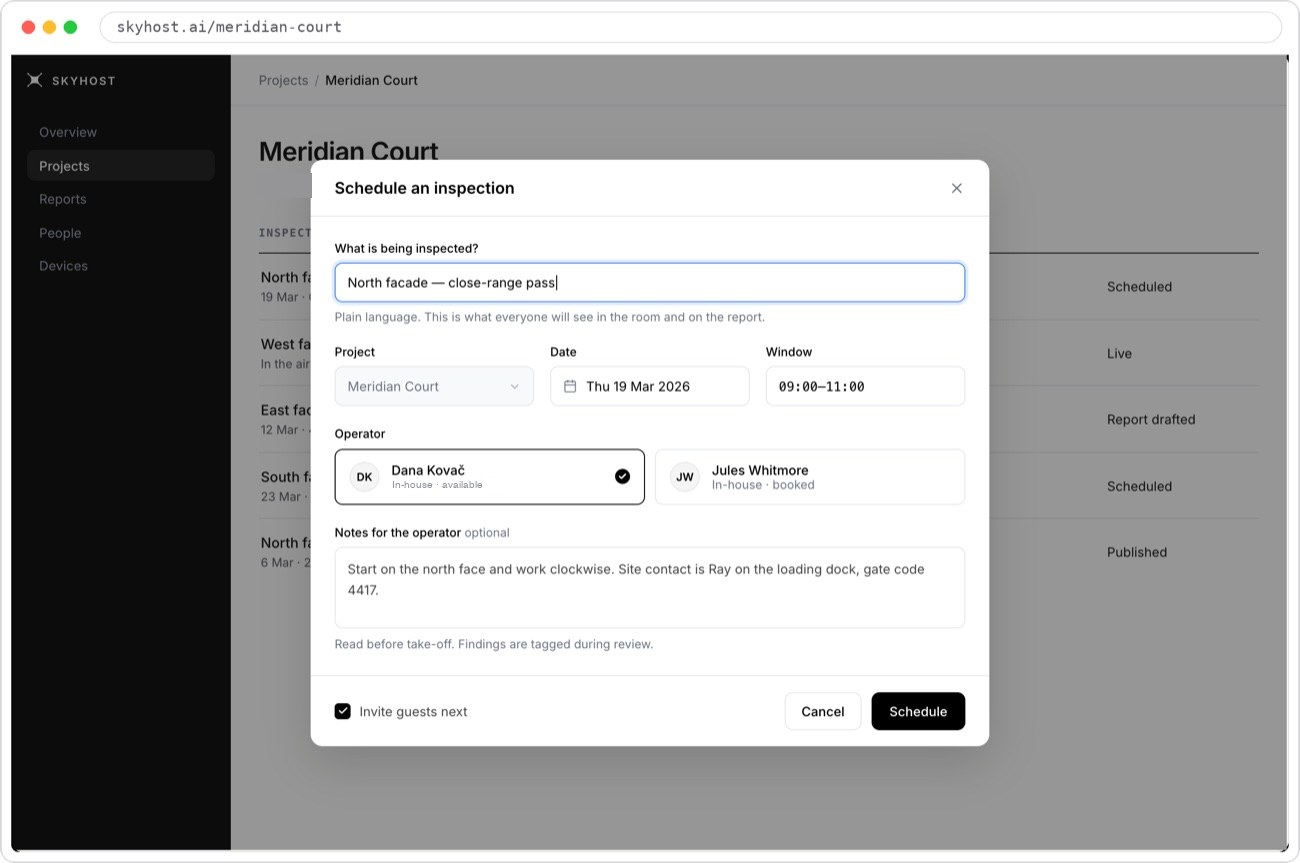
Scope in plain words.
What everyone sees in the session and on the report.
Date and window.
Agreed once, for everyone.
Operator.
Your operator, with availability shown.
Guests invited next.
One link each, from the booking.
- WHAT'S BOOKED
- Scope in plain words, project, date, time window, operator, notes for the operator
- WHO'S INVITED
- Engineer, facade inspector, operator, owner's representative. One link each
- COVERAGE
- Elevations or hull areas listed before the flight and checked off during it
- OPERATOR
- Your operator flies, with the equipment they already use
- STATUS
- Scheduled → Live → Report drafted → Published
02FLIGHT PORTAL
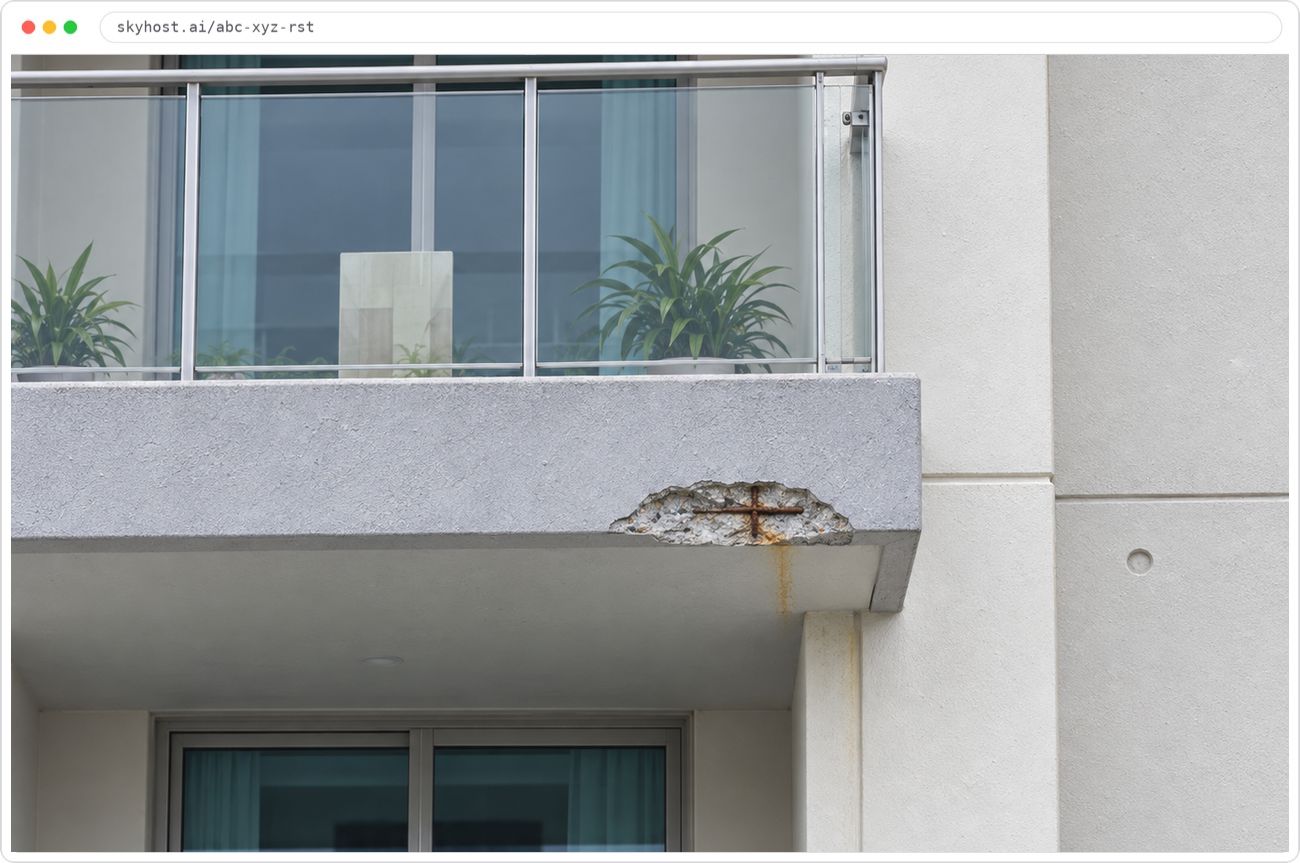
The engineer directs the operator live. A clear, low-delay feed from the operator's camera, with two-way audio for everyone in the session.
The Flight Portal is the live session. The engineer can say "go back to that spot" and see it straight away. The facade inspector, the owner's representative and any other guest are in the same session, each from their own link.
Live feed.
From the operator's drone.
Participants.
Each joined from their own link.
Microphone.
For two-way audio.
Leave.
Ends your participation, not the flight.
- SOURCES
- DJI drones through the controller app. Other drones, ROVs and cameras over RTMP
- NETWORKS
- 4G, 5G or Starlink at the site
- PARTICIPANTS
- Operator, on-site inspector and remote guests in one session
- GUESTS
- A browser link. No app, no account
- AUDIO
- Two-way group audio for the whole session
- FRAMES
- Defects seen live are captured as frames for review
03REVIEW
Findings are raised on a full‑size screen, frame by frame. The image the engineer saw in the air, at full resolution, at a desk.
Draw the region, set the defect type and severity, add a note. The frame's timecode and the pass it belongs to are already on the record. Nothing else to fill in.
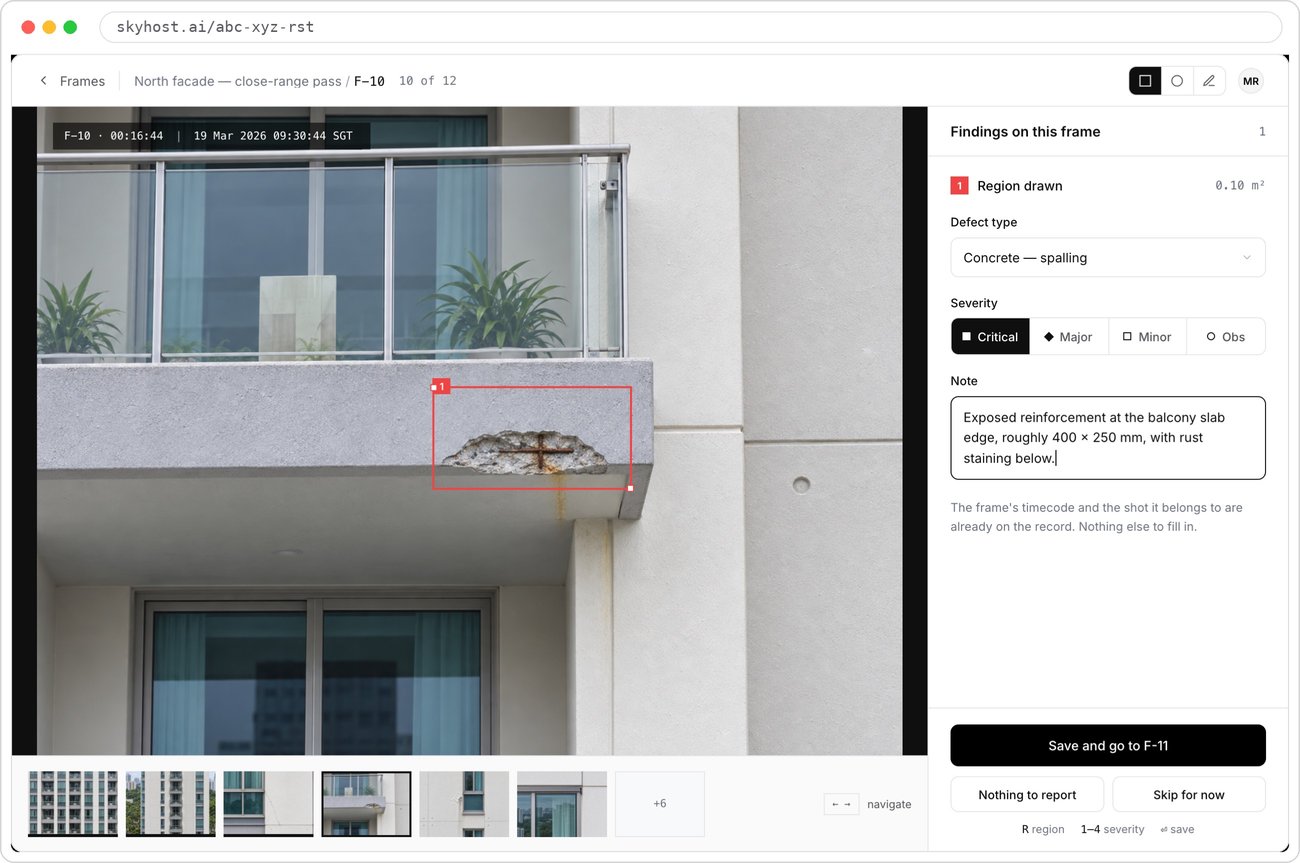
Region drawn on the frame.
Area calculated in m².
Defect type.
From your firm's defect list.
Severity.
Critical, major, minor or observation.
Already on the record.
Frame ID, pass and timecode, filled in for you.
Filmstrip.
Every frame from the pass, in order.
- FIELDS
- Defect type, severity, region, note
- SEVERITY
- Critical, major, minor, observation
- REGION
- Drawn on the frame, with the area in m²
- TRACE
- Frame ID, pass and timecode attached to every finding
- AUDIT
- Who reviewed each frame, and when
- KEYS
- R region · 1–4 severity · ↵ save and next
04REPORTS
The report is drafted from the findings. Cover, declaration, summary, findings, flight record and images, laid out in your template.
Change a finding and the report changes with it. The Competent Person or attending surveyor reviews the draft, makes the declaration and publishes.
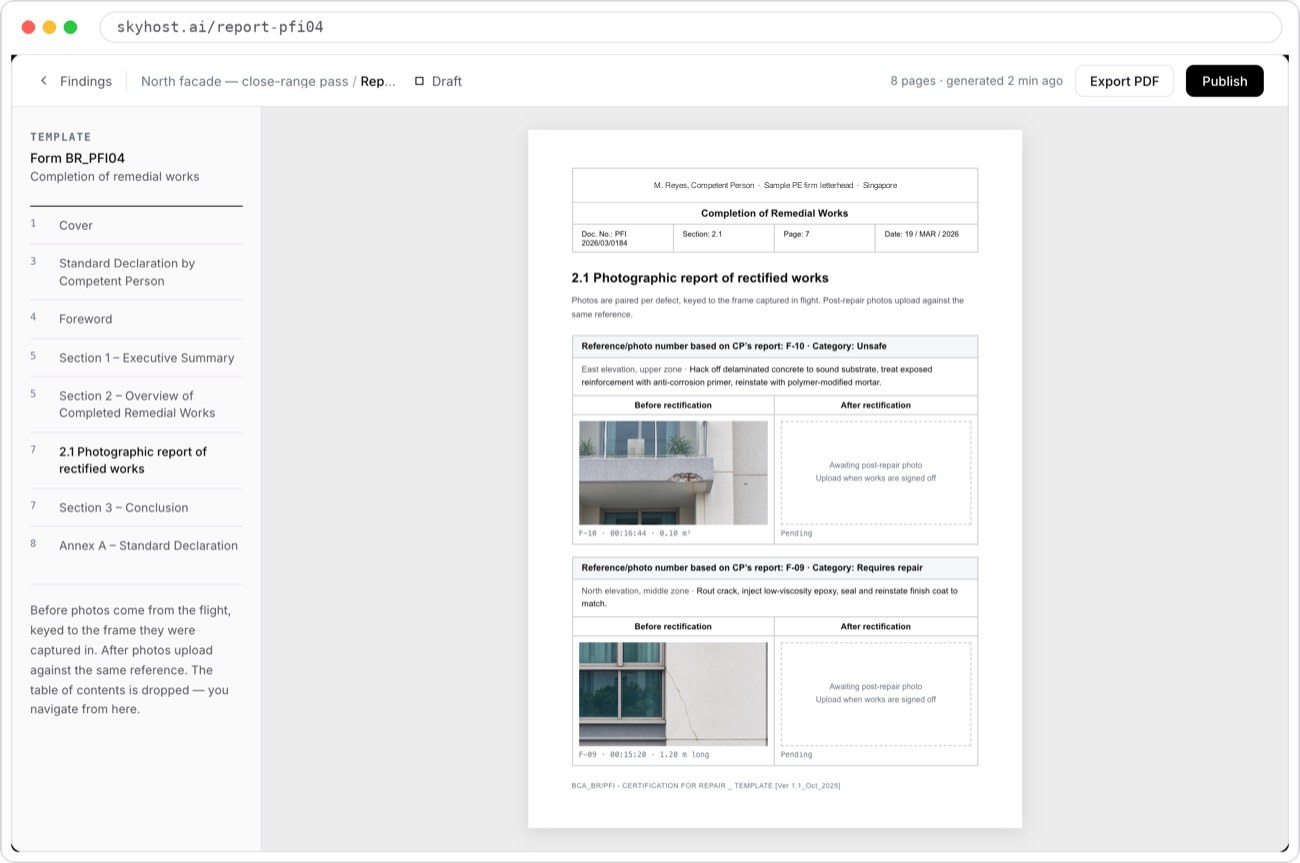
Your template.
Shown here: BCA Form BR_PFI04.
Before photos from the flight.
Keyed to the frame they came from.
Export or publish.
PDF, or published to the project.
Contents.
Jump to any section of the draft.
- TEMPLATES
- BCA forms for facades, such as BR_PFI04. Class report formats for ships, such as HSS-04
- CONTENTS
- Cover, declaration, foreword, executive summary, findings, photographic record, annexes
- PHOTOS
- Before photos keyed to the frame they came from. After photos uploaded against the same reference
- OUTPUT
- PDF export, and publishing to the project
- SIGN-OFF
- Declarations are made by the named professional, not by Skyhost
SCOPE
What's in Skyhost, and what isn't. We'd rather you knew before the demo.
| Item | In Skyhost | Not in Skyhost |
|---|---|---|
| CAPTURE | Live feed from your operator's equipment | Drones, cameras or other hardware |
| OUTPUT | Reports in your template, PDF | 3D models, digital twins, orthomosaics |
| FLIGHT | A session the operator streams into | Flight planning or autonomous flight |
| LIABILITY | A record of who decided what | Signing or certifying on your behalf |
DATA PROTECTION
Private by link, accounts for your team. The detail is on the data protection page.
Private by link.
A session is reached only through its link, and the links go only to the people you invite from the booking.
Accounts for your team, links for guests.
People who review, sign and publish sign in with an account. Guests who only watch join from a link, without one.
Your record stays yours.
Photos, findings and reports belong to your firm, and you can export reports as PDF at any time.